Know What
You Eat
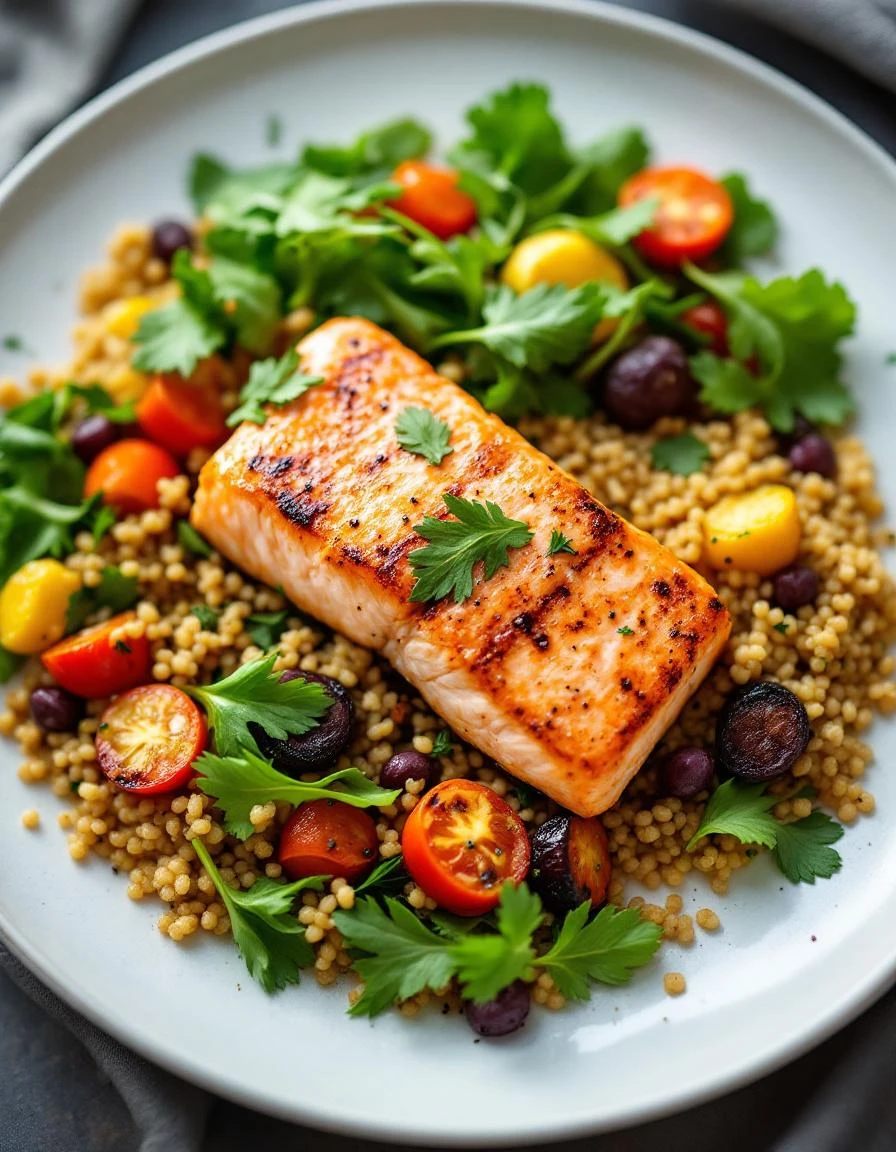
No more typing meals into a database. Snap a photo or say what you ate — calories, protein, carbs, and fat in seconds.
Ditch the Food Diary
Busywork
Other apps make you type, search, and guess. This one just looks at your plate.
Scan Any Meal
Point your camera at whatever you're eating. Calories, protein, carbs, fat — all in a few seconds.
Goals That Fit You
Tell us your age, weight, and what you're after. We'll figure out exactly how much you should eat.
See Where You Stand
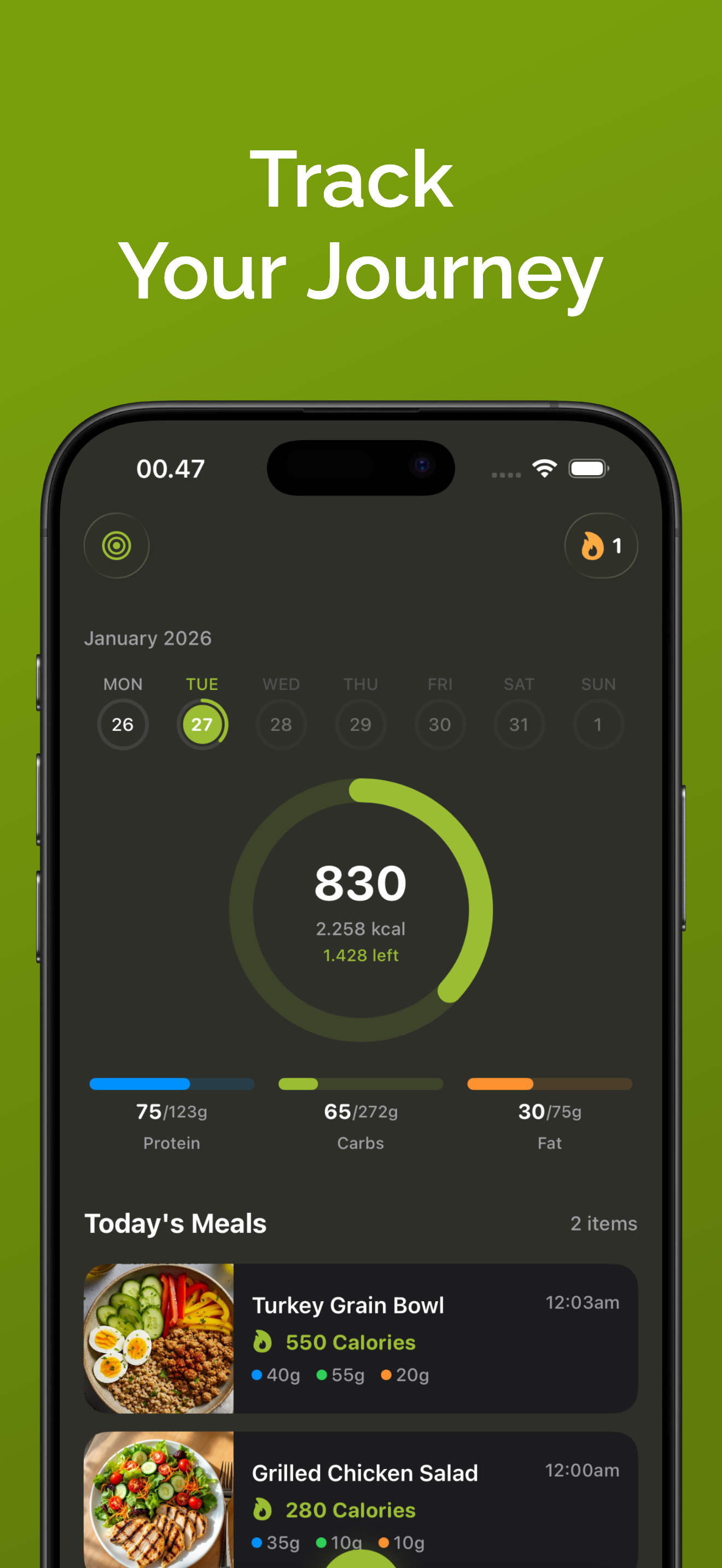
A daily calorie ring, macro bars, and weight charts that make progress obvious at a glance.
Just Say It
Don't have your camera handy? Describe what you ate and the app logs it for you.
Syncs with Apple Health
Every meal you log automatically writes calories, protein, carbs, and fat to Apple Health.
Check Without Opening
Add a calorie ring or daily summary widget to your home screen. See your progress at a glance.
Three Steps. That's It.
No setup headaches. No learning curve.
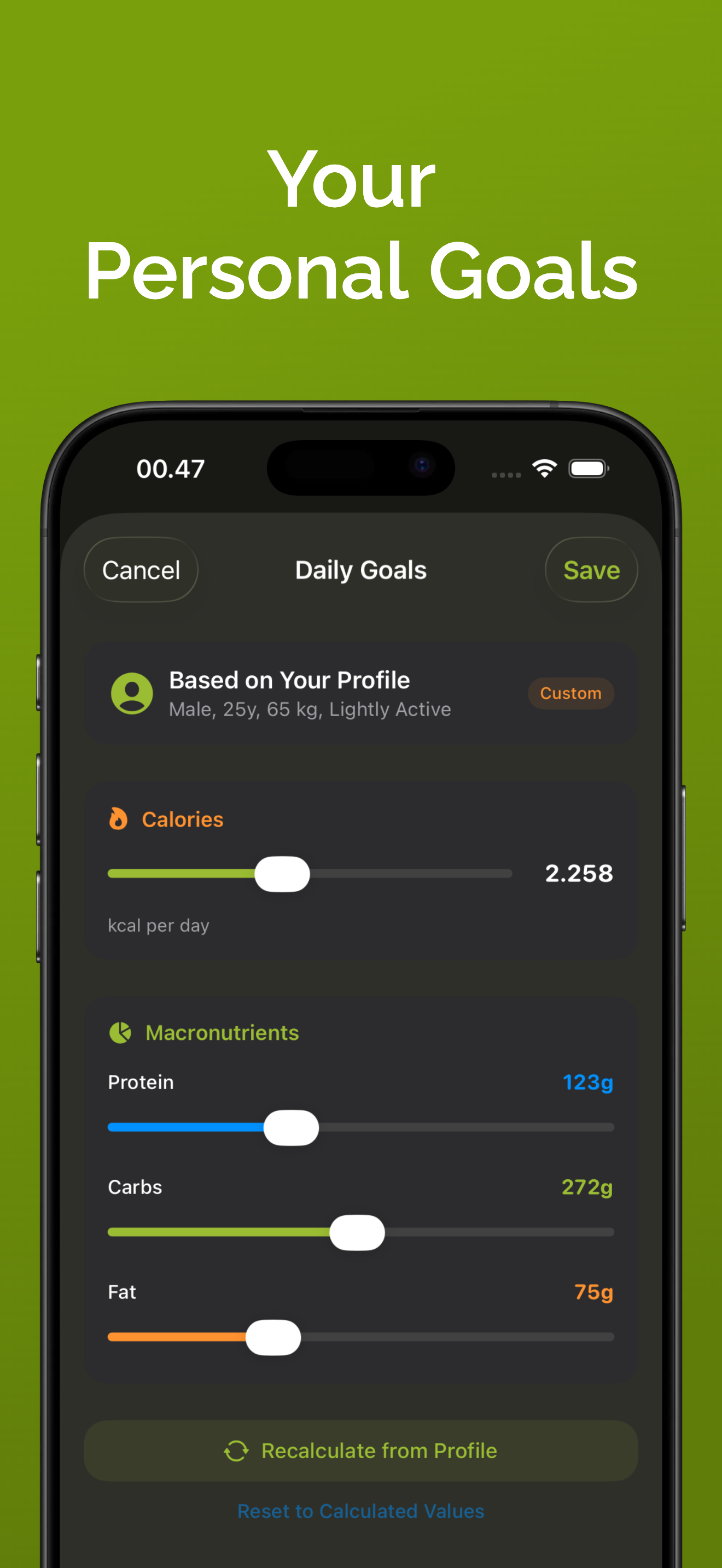
Set Your Target
Enter your details. The app figures out how many calories and macros you need each day.
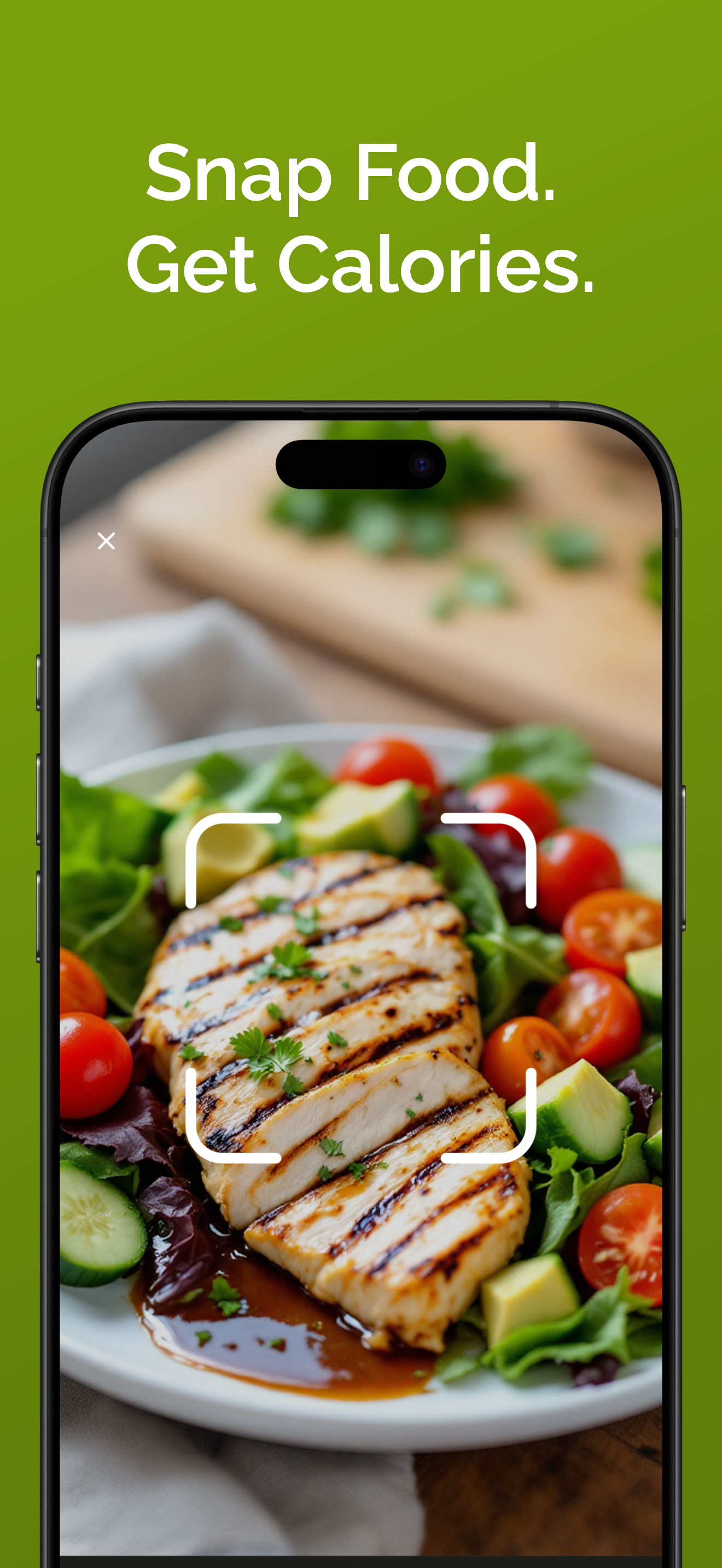
Snap Your Food
Take a photo. The app tells you what's in it.
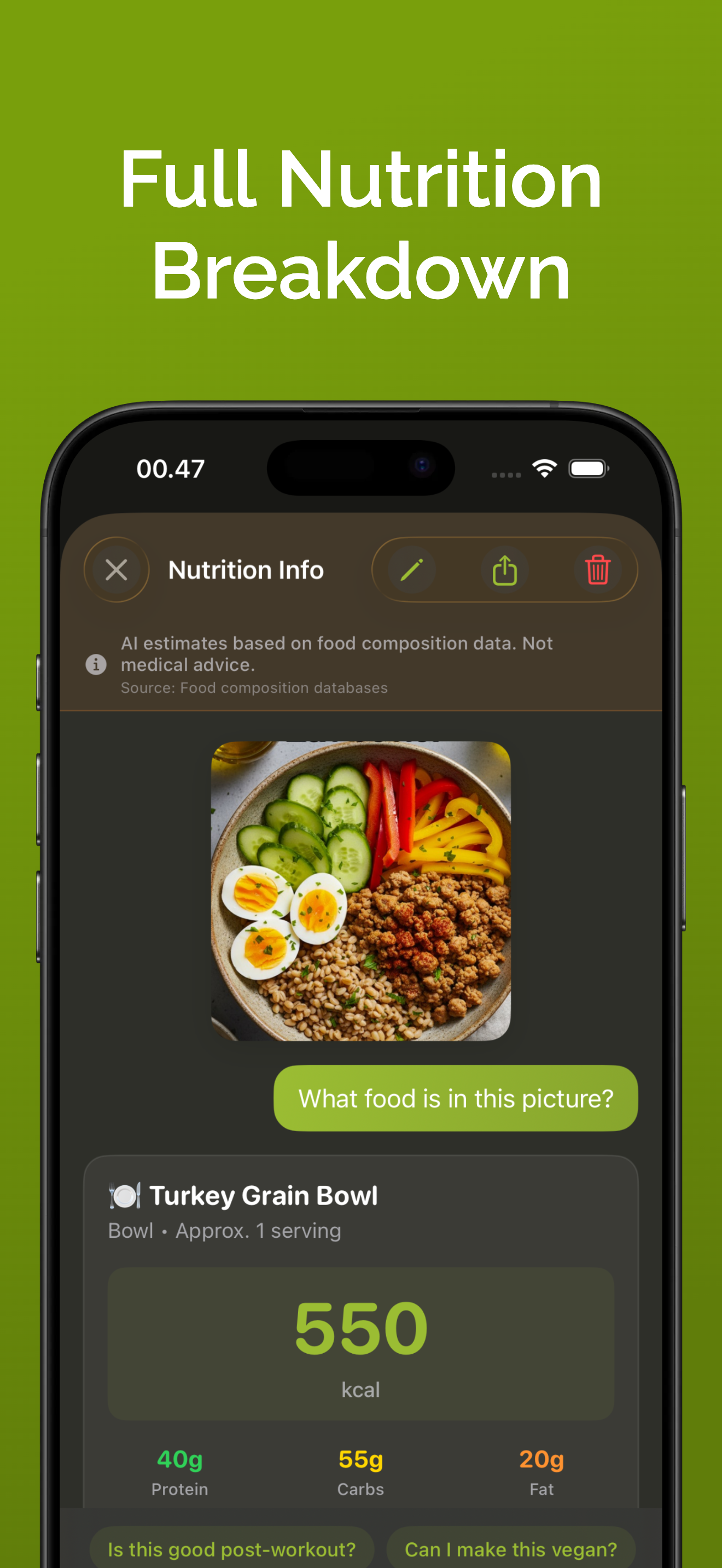
Watch It Add Up
See your daily ring fill. Check your macros. Notice the difference after a week.
Take a Closer Look
Every screen is built to get out of your way and keep you informed.
Your Daily Dashboard
See your calorie ring progress, macro breakdown, and all meals for the day at a glance. Swipe through 28 days of history.
- Visual calorie ring with daily goal
- Protein, carbs & fat macro bars
- 28-day swipeable history
Common Questions
How accurate is the calorie scanning?
The app analyzes your meal photo and estimates nutrition with high accuracy for common foods. For packaged foods, we always recommend checking the nutrition label. You can also manually adjust any values if needed — just tap Edit on any scanned meal.
Is Cal AI: Calorie Scanner really free?
Yes! You get 3 free scans to try the app with full access to all features — personalized goals, dashboard, weight tracking, streaks, Apple Health sync, and more. No credit card or signup required. Premium unlocks unlimited scans and removes ads.
How does the TDEE calculator work?
Enter your age, height, weight, activity level, and goal (lose weight, maintain, or build muscle). Cal AI: Calorie Scanner uses the science-backed Mifflin-St Jeor equation to calculate your Total Daily Energy Expenditure and sets personalized daily calorie and macro targets.
Can I cancel my subscription anytime?
Absolutely. You can cancel anytime from your Apple ID settings. If you start the 3-day free trial, you won't be charged if you cancel before the trial ends. No questions asked.
What languages are supported?
Cal AI: Calorie Scanner supports 10 languages: English, Spanish, French, German, Italian, Portuguese, Russian, Japanese, Chinese, and Korean. The app adapts to recognize local dishes and provide nutrition data in your language.
Does it work with home-cooked meals?
Yes! The app analyzes what it sees in your photo — whether it's a restaurant meal, home-cooked dish, or snack. For mixed dishes, it estimates based on visible ingredients. You can always ask follow-up questions or adjust the results.
Can I edit the nutrition estimate?
Yes. Every scanned meal can be edited. You can adjust calories, protein, carbs, and fat manually, or use the quick portion buttons (1/2, 3/4, 1x, 1.25x, 1.5x, 2x) to scale the entire nutritional breakdown up or down.
Is my data private and secure?
Your data stays on your device and syncs privately via iCloud. We don't sell your information or share it with third parties. Photos are processed for analysis and are not stored on our servers after processing.
Done Guessing
What You Eat?
Download Cal AI: Calorie Scanner. Snap your next meal and know exactly what's in it — in seconds, not minutes.
Get Cal AI: Calorie Scanner — Free3 free scans. No signup required. iOS 17+